Subscription Plans
Choose the plan that fits your needs
Compare the Pro, Business, and Enterprise plans to find the right fit for your needs. See features, pricing, and how to subscribe.
AdWhiz has three subscription plans. Pick the one that matches how many ad accounts you manage and how often you need AI help. Every plan gives you access to all 100 AI tools — the difference is in the volume and extra features.
Plan comparison#
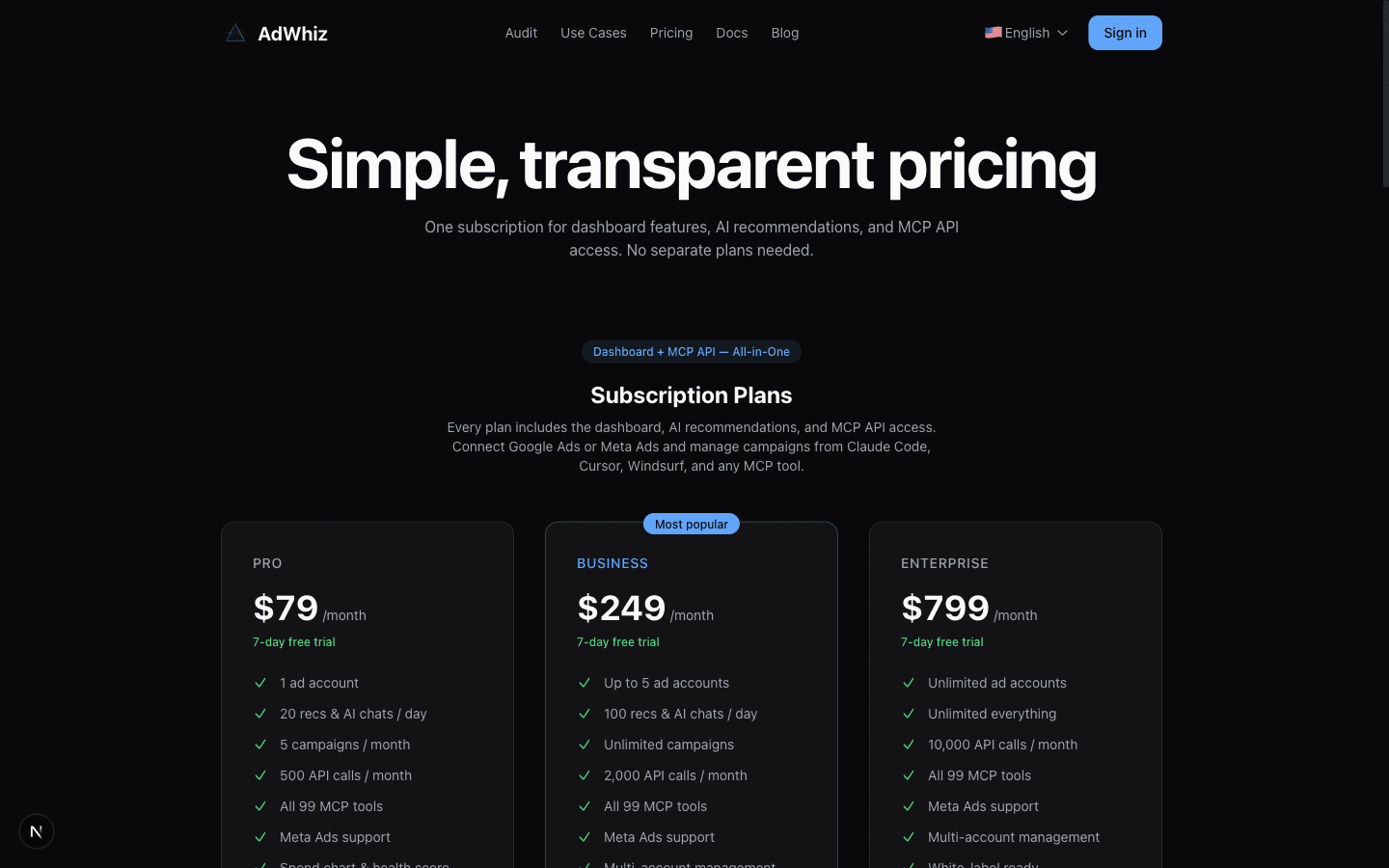
Here's a side-by-side look at what each plan includes:
| Feature | Pro ($79/mo) | Business ($249/mo) | Enterprise ($799/mo) |
|---|---|---|---|
| Monthly API calls (MCP) | 500 | 2,000 | 10,000 |
| AI chat turns / month | 150 | 450 | 1,500 |
| Ad Accounts | 1 | 5 | Unlimited |
| All 100 AI Tools | Yes | Yes | Yes |
| Multi-Account Overview | No | Yes | Yes |
| Priority Support | No | No | Yes |
An "AI Query" is any time you ask AdWhiz to do something — like running an audit, asking a question in AI Chat, or using an MCP tool. Most users on the Pro plan never come close to using all 600 queries in a month.
Which plan is right for you?#

Pro — $79/month
Best for individuals and small businesses. You manage 1 to 3 ad accounts and want AI help with optimization. You get daily audits, AI recommendations, AI Chat, and access to all 100 tools.

Business — $249/month
Best for agencies and freelancers who manage multiple client accounts. You can connect up to 10 ad accounts, see a unified multi-account overview, and run bulk audits across all accounts at once.

Enterprise — $799/month
Best for large agencies with many clients. You get unlimited ad accounts, 10,000 AI queries per month, and priority support — meaning your questions go to the front of the line.
How to subscribe#
Subscribing takes less than two minutes. Here's how:
Go to the pricing page
Open your browser and visit adwhiz.ai/pricing. You'll see all three plans displayed side by side.
Click "Get Started" on the plan you want
Each plan has a "Get Started" button. Click the one for the plan you want to try. If you're not sure, start with Pro — you can always upgrade later.
Complete checkout with Stripe
Click the 'Subscribe' button on your chosen plan. You'll be redirected to a secure Stripe checkout page. Enter your card details and confirm. Your subscription activates immediately.
Your plan is active immediately!
As soon as your payment goes through, your plan is live. You'll be taken back to the AdWhiz dashboard where you can start using all the features right away.
Not sure which plan?
Start with Pro. It gives you everything you need to get going. If you find yourself managing more accounts or running out of queries, you can upgrade to Business or Enterprise anytime without losing any of your data or history.
7-day free trial on all plans
Every plan comes with a 7-day free trial. You won't be charged until the trial ends. If you decide it's not right for you, cancel anytime before the trial is over and you won't pay a thing.
Common questions about plans#
Can I switch plans later?#
Yes! You can upgrade or downgrade at any time from your billing settings. When you upgrade, you get access to the new features right away. When you downgrade, the change takes effect at the start of your next billing period.
What happens if I run out of queries?#
If you use all your queries for the month, you'll need to wait until your next billing cycle for them to reset. You won't be charged extra. If this happens often, it might be time to upgrade to a higher plan.
Do I need a subscription to use AdWhiz?#
No! The free audit is always free, and you can buy a one-time full report without subscribing. A subscription gives you ongoing access to the dashboard, daily audits, AI Chat, and all 100 tools.